


Batch Download dhits.docomo Playlists and Albums to Download Docomo Songs Efficiently
SongGet dhits Music Converter offers great convenience for you to download Docomo songs. It is especially convenient for you to donwload Docomo playlist due to its batch music download support. The batch download feature could parse any playlist or album under any categories on dhits.docomo.ne.jp, and then detect and list all available songs in the playlist for you to download. You could download Docomo playlist of selected songs or all songs at will in batch.
Download and Convert dhits.docomo Music at High Speed
Powered by advanced music parsing and downloading technologies, SongGet dhits Music Converter could download dhits Docomo music and convert dhits music to MP3/WAV/FLAC/OPUS files at high speed. In only a few seconds, SongGet dhits Music Converter could complete a music download and conversion task.
Other Features Enhance User Satisfaction
Easy to Use with Built-in Browser
The internal browser makes it extremely easy to download and convert dhits.docomo music files for offline viewing in a few clicks only.
Reserve Precise ID3 Tags
SongGet dhits Music Converter could detect and preserve multiple music ID3 tags like artist, artwork, title, year, etc. for convenient offline management.
Resume Interrupted Downloads
SongGet dhits Music Converter offers one click operation to start all failed or interrupted dhits music download tasks.
Auto Power Off
A one-click preset option is available to shut down computer after all music download tasks complete.
How to Download Docomo Music to MP3?
Step 1: Kick off SongGet and set download directory
Step 2: Open dhits.docomo.ne.jp within SongGet and log in
Step 3: Play target song and let SongGet parse it
Step 4: Choose download option and start downloading
Pricing Plans for SongGet dhits Music Converter for Mac
One Year
1 License for 1 PC
All Features for 1 Year
Manual Renewal. Safe and Flexible
5 Days Money Back Guarantee
Unlimited Free Upgrades
Lifetime
1 License for 1 PC
All Features for Lifetime
One-time Payment
14 Days Money Back Guarantee
Unlimited Free Upgrades
Recommended
Purchase 2 or more modules, Get higher discount.
Save up to
Tech Specs
System requirements:
Supported OS : Microsoft® Windows 7/8/8.1/10/11 (64bit)
Processor : 1 GHz or above Intel/AMD Processor
RAM : 512MB RAM(1024MB or above recommended)
Free Hard Disk Space Required : 5GB +
Graphic Card : 1 GHz or above Intel/AMD Processor
References
Supported Music Streaming Platforms : dhits.docomo.ne.jp
Supported Output Audio formats : MP3, WAV, M4A, FLAC, OPUS
System requirements:
Supported OS : mac OS Big Sur (11), macOS Monterey (12),macOS Ventura(13),macOS Sonoma(14),macOS Sequoia(15)
Processor : 1 GHz or above Intel Processor
RAM : 512MB RAM (1024MB or above recommended)
Free Hard Disk Space Required : 1GB or above
References
Supported Music Streaming Platforms : dhits.docomo.ne.jp
Supported Output Audio formats : MP3, WAV, M4A, FLAC, OPUS
What Clients Say About SongGet?


Honestly, I didn't expect this SongGet dhits Music Converter to handle batch music download and conversion so efficiently. I downloaded and converted over 500 tracks from dhits.docomo.nejp in one go to MP3 files, and not a single file was corrupted.
I travel frequently, and SongGet dhits Music Converter helps me enjoy my favorite dhits songs on my MP3 player offline easily. It's fast, lightweight, and never crashes.
SongGet dhits Music Converter helped me back up all my favorite dhits songs offline on my USB drive in high quality. The conversion process was smooth and preserved all song info perfectly.
Customer support was surprisingly responsive when I had a licensing issue. Great team behind a great product. The converter itself works flawlessly.
I appreciate that it supports multiple audio formats. I prefer FLAC over MP3 for sound quality, and SongGet lets me download and save dhits songs in FLAC files with ease. It's a really nice song downloader and converter combo.
This dhits music converter is really easy to use. The browser-like music converter makes it simple to underdtand and operate. Just play back the song you want to download, and then let SongGet analyze it. Then you will get multiple download options to choose from and download.
Download Docomo Music from dhits.docomo to MP3/WAV/M4A/FLAC/OPUS with High Quality
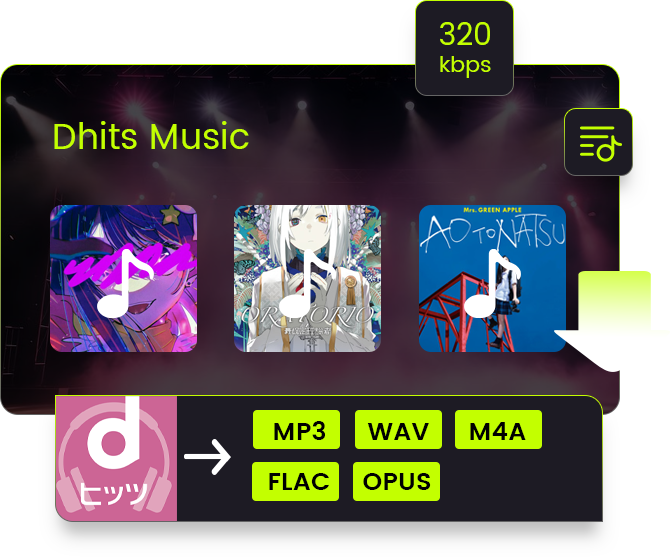
As a professional 2-in-1 dhits Docomo music solution toolkit that includes dhits Docomo music converter and dhits Docomo music downloader, SongGet dhits Music Converter could download music from dhits.docomo.ne.jp at up to 320kbps, and then save dhits music as high-quality MP3/M4A/OPUS files or quality-lossless FLAC/WAV files. This dhits music converter software enables you to freely enjoy any music from dhits.docomo.ne.jp offline on various music players at high quality.